
Power Platform Admin Guide 1 - The CoE Kit Explained
A dive into what the CoE Kit is in the Power Platform

I realise there are heaps of resources on the Center of Excellence Kit but some of them can be quite overwhelming. In this article, I'll try to provide a glimpse of what it is.
What is the CoE Kit for Power Platform and what is it good for?
The CoE Kit allows admins and by extension stakeholders to visualise the tenancy status of Power Platform and much more. This contains data on powerapps, power automate flows, connection references and others.
It consists of some PowerBI reports and some apps.
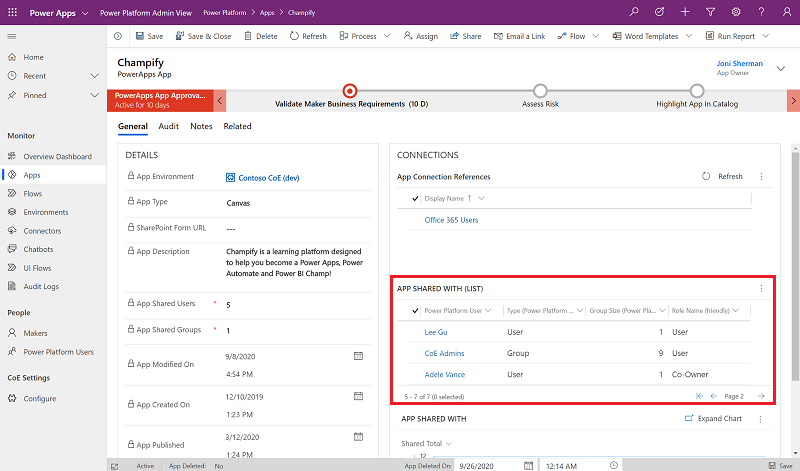
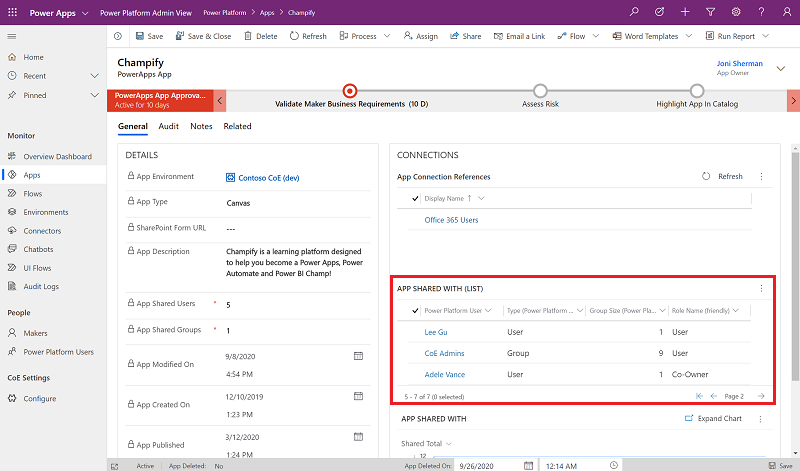
You don't need to use everything at once. The main ones you'll need are the Power Platform Admin View PowerApps Application and the main Power BI report
Normally, I use the Power BI report quickly show stakeholders what the current status is and the Power Platform Admin View Application to troubleshoot or fix any issues with any known or unknown powerapps or power automate flows. E.g. if you need to see what apps or flows are connected to a SharePoint list, you can see it using the admin view app.
How do we install the CoE Kit?
Microsoft have simplified the process quote a bit. Follow this guide to get through the initial steps and install various components. But make sure flows tagged with “Email” are turned off.
Also, create two environments for the CoE Kit in power platform, one test and another production.
Also, make sure the service account you are using to install the COE kit has a PowerApps Per User licence and a Power Automate Premium licence.
Here are some amazing resources on the CoE Kit.
Installation videos link
How did you like the article? Let me know if you need anything specific about the CoE Kit, I've done multiple installs so can help.
Email: puskark4@gmail.com