
Supercharge Your Power Apps Development with AI: How to Install the Canvas Apps MCP Plugin
A small nugget to help you with your tricky canvas apps

If you’re building Power Apps Canvas Apps, you know that keeping track of controls, Dataverse schemas, and Power Fx formulas can sometimes be a balancing act. But what if your AI coding assistant could read your live authoring session, understand your Dataverse schema, and validate your YAML code instantly?
Thanks to the Model Context Protocol (MCP) and the new Power Platform Skills, this is now a reality. Microsoft has released an incredible plugin (beta) that connects AI coding assistants directly to the Power Apps authoring service.
Because this is built on the universal MCP standard, it works across almost any modern AI coding assistant, including VS Code, Cursor, Antigravity, Codex, and Claude Cowork.
In this guide, I’ll walk you through what this plugin does, how it works across different AI tools, and how to install it in your local environments.
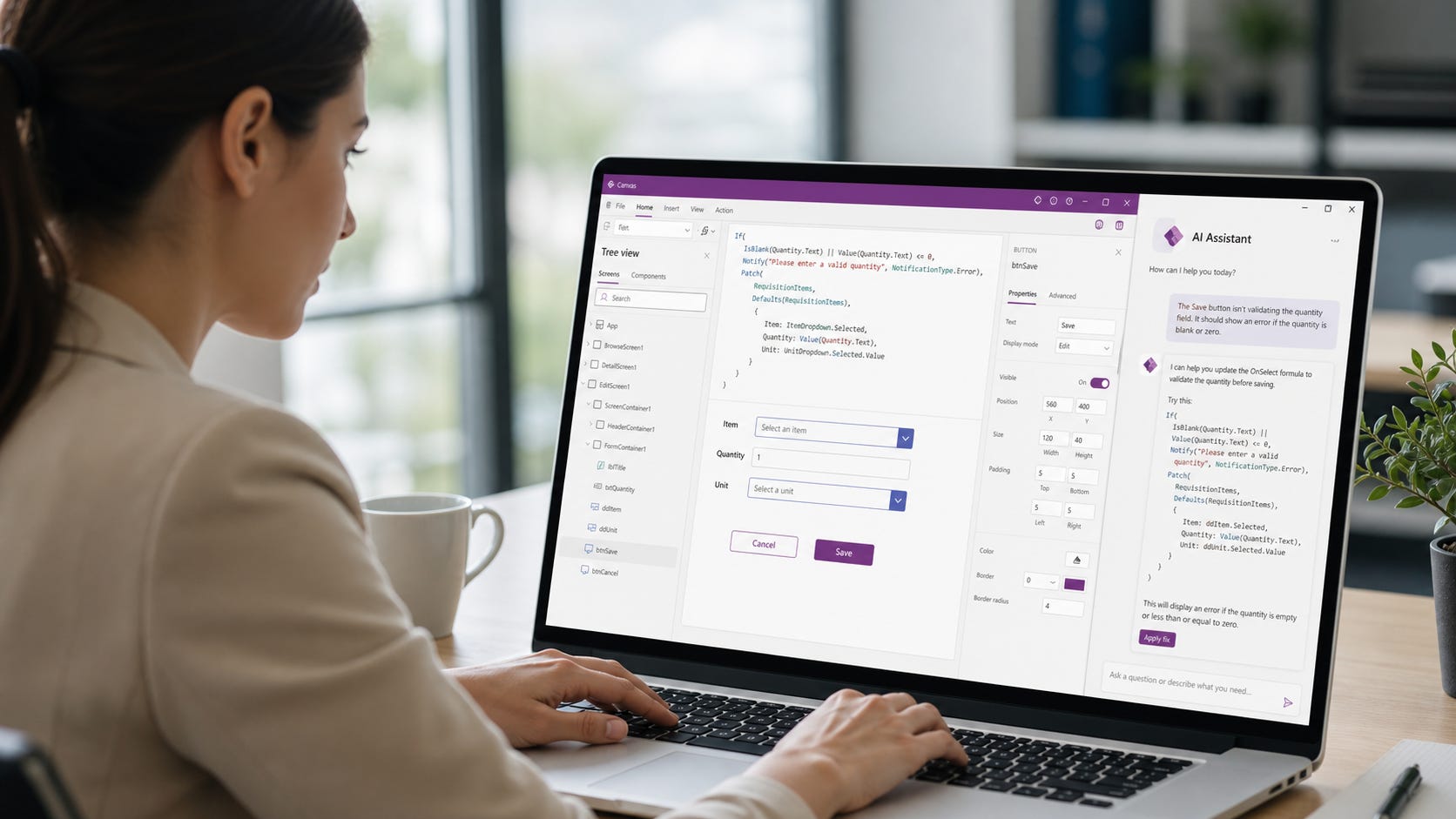
What Does the Canvas Apps Plugin Do?
By default, an AI agent doesn’t know the specifics of your Power Apps environment. The Canvas Apps MCP plugin bridges this gap by exposing a suite of specialized tools to your AI assistant:
Sync and Compile: The AI can pull the latest YAML source code directly from your live Power Apps coauthoring session, make edits, and compile/validate the
.pa.yamlfiles to catch syntax errors immediately.Control Discovery: It can query
describe_controlorlist_controlsto understand exactly which properties and variants are available for native Fluent and Classic UI controls.Schema Awareness: Using
get_data_source_schema, your AI assistant can fetch the live columns and Power Fx types for your connected Dataverse tables or SharePoint lists, ensuring the formulas it writes are perfectly accurate.
(Note: This plugin is currently in official preview from Microsoft.)
How do I work with it?
After you set this up, you can simply describe your preferred AI to sync with the app and tell it to make your changes.
You will need to Open the App in Edit mode and enable co-authoring. It edits the app as you!
So far, it feels buggy but does what it needs to. However, it is what this represents that surprises me. I have been working with Codex xHigh and it has been 50-50 in solving my issues, so not bad compared to trying to code by hand or customising code we see in videos.
Useful Links
Which AI Assistants Are Supported?
The magic of the Model Context Protocol is that you only run the Canvas Apps server once on your machine, and any MCP-compliant client can talk to it. Here is how it integrates with today’s top AI tools:
Cursor: The popular AI-first IDE supports MCP natively. You simply add the server details in Cursor’s MCP settings, allowing the AI to read and generate Canvas App schemas right next to your code.
VS Code (GitHub Copilot): By adding the MCP server details to your VS Code
mcp.jsonconfiguration, GitHub Copilot Chat gains the ability to query schemas and compile Canvas App YAML right inside your editor.Claude Cowork / Codex: Anthropics’s command-line and enterprise workspace assistants support MCP natively via
/pluginslash commands for incredibly fast terminal-based setups.Antigravity: Deepmind’s agentic coding assistant simply needs the server path added to its local
mcp_config.jsonto immediately gain full Power Platform superpowers and act autonomously on your apps.
I have yet to test it on OpenCode, but will be quite similar.
Prerequisites
Before installing the plugin, you need to ensure your machine has the required .NET runtime. The MCP server runs locally to broker the connection securely.
Download and install the .NET 10 SDK.
Step-by-Step Installation Guide
There are two main ways to install and configure the plugin depending on the AI assistant you are using.
Option A: Using Command Line (Claude Cowork / Codex)
If you are using Claude’s CLI tools, installation is as simple as running a few commands in the integrated terminal:
1. Add the Power Platform Marketplace
/plugin marketplace add microsoft/power-platform-skills
2. Install the Canvas Apps Plugin
/plugin install canvas-apps@power-platform-skills
3. Configure the Connection
/configure-canvas-mcp
(Pro Tip: Because it’s an AI-driven tool, you can actually just type a natural language prompt like “Set up the Canvas Authoring MCP server” into your chat, and the agent will automatically trigger the setup skill for you!)
Option B: Using JSON Configuration (Cursor / VS Code / Antigravity)
For IDEs like Cursor and VS Code, or agentic tools like Antigravity, MCP connections are established using a configuration JSON file.
To connect the Canvas Apps plugin, you simply need to define the server in your client’s configuration file (e.g., Cursor’s MCP settings UI, .vscode/mcp.json, or ~/.gemini/antigravity/mcp_config.json).
While the exact executable path will depend on where you clone the Microsoft power-platform-skills repository, the configuration will generally look like this:
{
  "mcpServers": {
    "canvas-authoring": {
      "command": "dotnet",
      "args": [
        "run",
        "--project",
        "/path/to/your/power-platform-skills/plugins/canvas-apps/CanvasAuthoringServer.csproj"
      ]
    }
  }
}
Security and Best Practices
A common concern with AI integrations is data security. Fortunately, your credentials are handled entirely through the official Azure Identity SDK. The AI assistant never stores or manages your access tokens directly.
As always, when working with Model Context Protocol (MCP) servers, ensure you are following your organization’s security guidelines regarding Entra ID authentication and local network isolation.
Wrapping Up
By connecting your AI assistant directly to your Power Apps environment via MCP, you transition from simply asking the AI for generic Power Fx advice to having a true “co-author” that can validate syntax and read your live data schema across Cursor, VS Code, Antigravity, and Claude.
Have you tried the new Canvas Apps MCP plugin yet? Let me know in the comments below what you’ve managed to build!
If you run into any issues with the plugin itself, you can report them to the official repo at aka.ms/power-skills-canvas-issues.